Excel AI Bulk
Enrich Excel data at scale with AI
Transform, classify, and enrich your spreadsheet data using custom AI functions. Process thousands of rows in minutes.
Enterprise-ready from day one



GDPR Compliant
Features
AI-powered data processing
Custom functions that bring AI capabilities directly into your Excel workflow.
Custom AI Functions
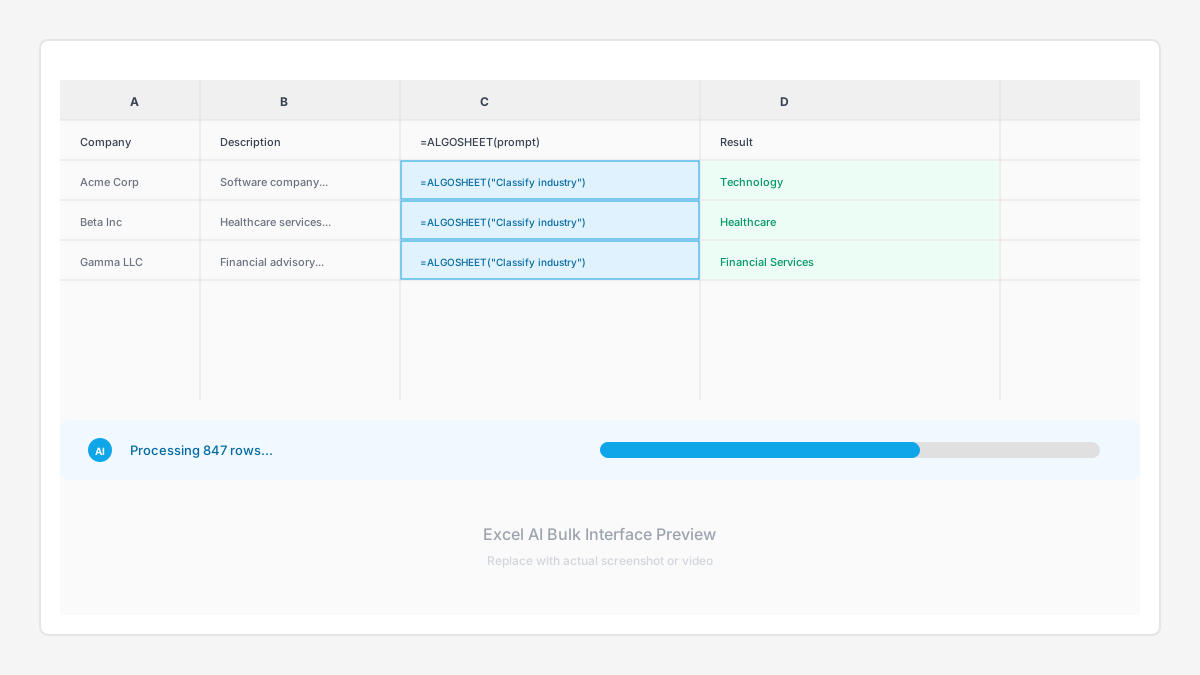
Write ALGOSHEET formulas directly in cells. AI processes your data using natural language instructions.
Batch Processing
Process thousands of rows efficiently. Optimized for large datasets with intelligent caching.
Data Enrichment
Auto-populate company info, classifications, and more. Build buyer lists and target databases at scale.
Flexible Prompts
Customize AI behavior for your use case. Extract, classify, summarize, or transform any text.
Structured Output
Get consistent, parseable results. JSON, tables, or comma-separated values for easy post-processing.
API Integration
Connect to external data sources. Combine AI enrichment with live data from APIs.
How it works
From prompt to processed data
Write a prompt once, apply it to thousands of rows. No coding required.
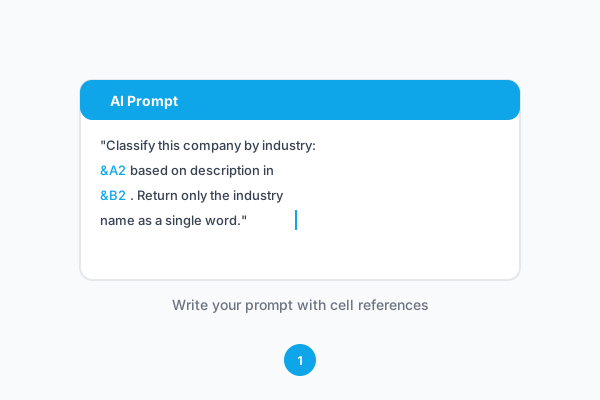
1 Write your prompt
Define what you want to extract or generate using natural language. Reference cell values with standard Excel syntax.
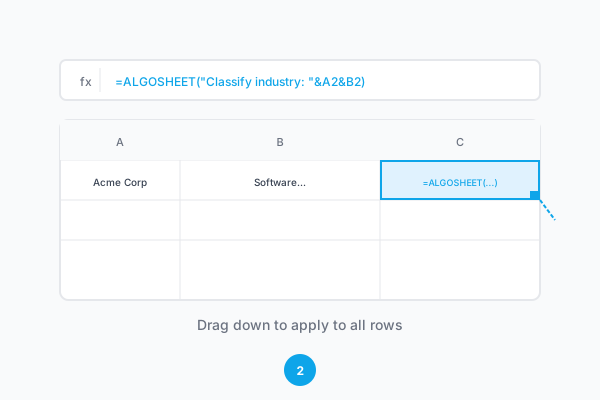
2 Apply to cells
Use the =ALGOSHEET() function on your data range. Drag down to apply to hundreds or thousands of rows.
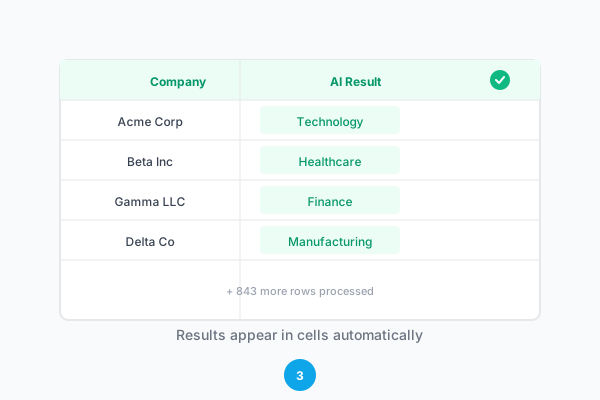
3 Get structured results
AI processes each row and returns structured data. Results are cached for efficiency and can be refreshed on demand.
FAQs
Excel AI Bulk Questions
Common questions about Excel AI Bulk. Need more help? Contact support@arclen.com
Ready to enrich your first spreadsheet?
See how Arclen fits into your finance workflow. Start with a free trial, no credit card required.
14-day free trial • No credit card required • Cancel anytime


AI-powered Excel enrichment for M&A and finance teams
Product
Excel - AI Bulk